
Activation still happens inside the plugin with your account.
How to update
Download
Install over
Run the installer. It goes straight over your current version.
Open LEADR
Restart your DAW. Presets, one-shots and expansions carry over.
What's new in 1.5
The biggest update since launch. Presets, one-shots and expansions carry over. (1.5.0 was never released on its own: everything it held is in 1.5.1.)
The CHOPPER (no longer beta)
A full chopping station inside LEADR.
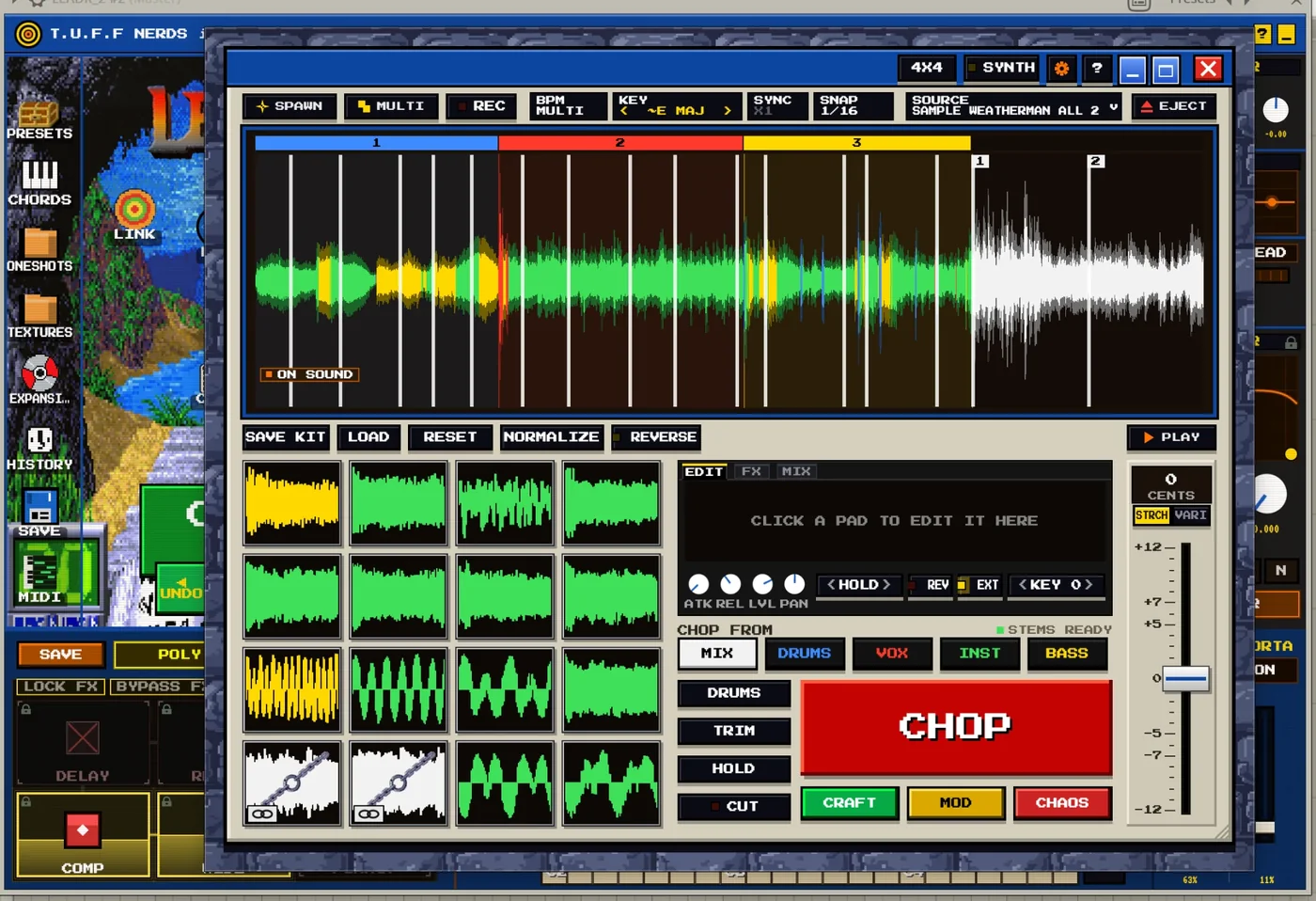
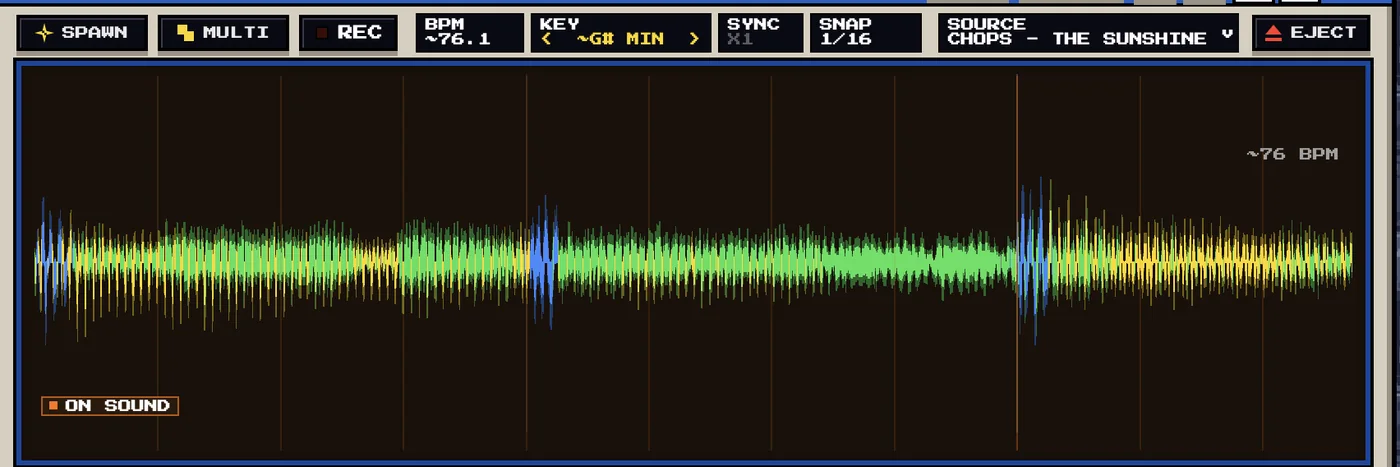
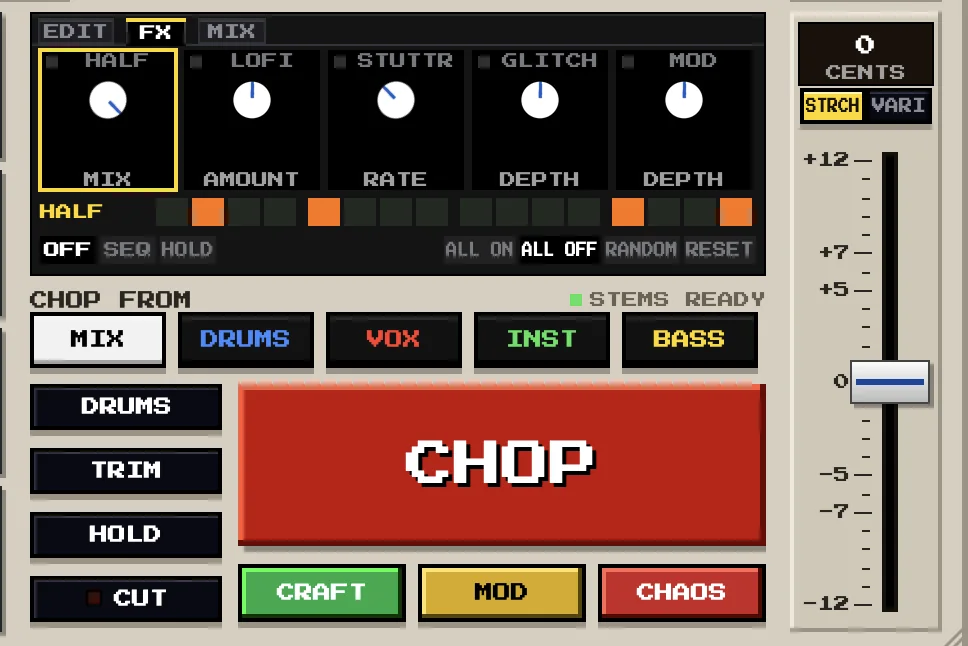
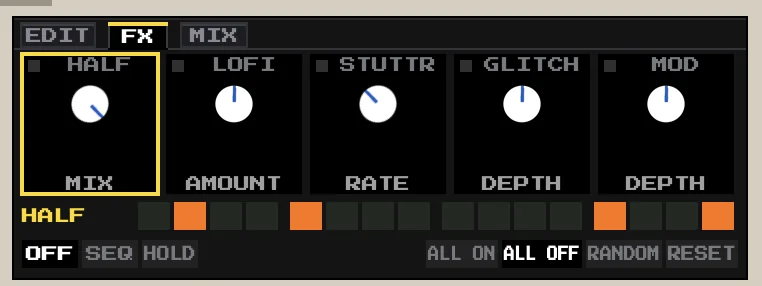
- Drop in a sample or a whole song, press CHOP and play the pads from your keyboard, MIDI or your laptop keys (pick your own key layout, or MIDI LEARN the pads from the cog).
- CHOP opens on 16 equal pads. Every press of CHOP is a new take in the STYLE you pick, inside the range you drag, and UNDO goes back one step at a time.
- A Serato-style waveform in LEADR's colours, one colour per pad, and a playhead that moves like a record needle.
- Gestures: click sets the playhead, double-click adds a chop, drag marks a range, Cmd-drag (Ctrl-drag on Windows) sets the CHOP range. “?” shows every shortcut.
- The MARK's menu edits the audio: Cut, Keep, Silence and NORMALIZE (your original file is always kept). NORMALIZE with chops evens every section's loudness.
- STEMS splits a song into drums, vocals, instruments and bass right inside LEADR. Pick one or a mix of them, and CHOP chops where that stem actually plays.
Show the full CHOPPER list
- SPAWN and MULTI build new material from your SAMPLES folder. MULTI joins parts in one key and one tempo, NEW PARTS re-rolls them, REPLACE swaps one part, and dragging a part's end RIPPLES it.
- SYNC plays the pads at your DAW's tempo. BPM sets how fast the CHOPPER plays. PITCH moves the pads and the song together (STRCH keeps the time, VARI changes the speed).
- FX STEPS: HALFTIME, GLITCH, STUTTER / STOP, LOFI and MOD on 16-step lanes, with RANDOM, RESET, ALL ON and ALL OFF. What they replay ends when you let go of the pad.
- The MIX page: CLIP, SAT and DRIVE to make it louder, and LEADR FX to send the CHOPPER through LEADR's own effects.
- Per pad: LEVEL, PAN, REVERSE, KEY, EXTEND (keeps playing past the chop while held) and the play mode.
- L locks pads together: the pads you selected, else the ones you are holding, else the one you played last.
- RECORD records what you hear straight into the CHOPPER, in passes.
- Save kits into three banks (SAMPLE, VOCAL, DRUM) on the new CHOPS page of the preset browser. LOAD opens it.
- RESET clears the chops and keeps the sample (right-click it to pick what goes). TRIM cuts the silence. The SOURCE menu keeps your recent samples by name.
- The CHOPPER has its own audio path: lead presets, the slot EQ and the lead's MIX no longer change it, HYPERLINK leaves it alone, and switching it off stops its song.
- Dock it on the stage, or DETACH it into its own window.
Also new
- FM on the synth page: it turns the selected oscillator into a 2-op FM voice, with RATIO and INDEX on the deck, and INDEX can be modulated.
- Arp ORDER (as played, converge, diverge, or a fresh random order every cycle) and the RHYTHM lane (paint hits, rests and ties over the cascade).
- ARP SYNC (SETTINGS, PERF page): every arp step after the downbeat lands on your DAW's grid, swing included. Off by default.
- LEGACY ARP: the 1.4.0 arpeggiator exactly, as ORDER's last stop, for songs made with it.
- Custom arp roll: ALT-drag a note up or down to set its velocity.
- HOT OUTPUT (SETTINGS): the synth plays 8 dB louder with the output clipper off. Off by default.
- SKINS (SETTINGS, UI page): LEADR BLUE is free. Make your own skin from a picture, and import and export skins.
- Knobs and faders show their value beside the pointer while you drag. The mouse wheel steps the < value > selectors. Messages say how it went: a green check, or a red cross with what to do.
Fixed
Sound
- Notes, arp steps and STRUM now start exactly where you put them, even at big buffer sizes, and short notes are no longer cut short.
- The sampler no longer clicks when the arp re-strikes a note at a new velocity.
- Loops no longer click or tick at the wrap (and on Windows, a loop played at its root note no longer clicks once per lap).
- No more clicks when switching filter types, effect engines, TRANCE GATE, the tape, OTT, LOFI or BIT CRUSHER, or when PAN returns to centre.
- An error inside an effect no longer silences the plugin until you reload it.
- An instance that is not playing uses a fraction of the CPU it did (on Windows too, now, with the HALL, PLATE or CAVERN reverb on).
Your work and your files
- Uninstalling or updating an expansion only touches the files that expansion installed. Your own edits stay beside the update as “<name> (yours)”.
- Ratings, tags and categories can no longer be lost to a damaged library index.
- A full disk can no longer cut short your preset index, journal, planner, ratings or history.
- Renaming a preset or a kit by capital letters only is safe everywhere.
- A wavetable saved on a Mac now finds its table on Windows, and the other way round. FIND MISSING repairs sample paths from the other computer too.
- Broken or malicious sample and image files are refused instead of hanging LEADR.
Workflow and speed
- Picking a preset or pressing CRAFT shows at once; the sound lands a moment later.
- Opening the plugin window is faster, and idle windows redraw less.
- Logic and GarageBand: automation written in 1.4.0 still points at the right parameters.
- Two open LEADR windows no longer overwrite each other's history, favourites or TO-DOs.
- The manual, the tour and the hover help match the plugin again.
- Windows: menus say Explorer and Ctrl instead of Finder and Cmd.
Earlier updates
-
v1.4.019 Sep 2026
LEADR 1.4.0 added wavetables. Everything since 1.3.8, including the 1.3.9 beta.
🌋 Wavetables added
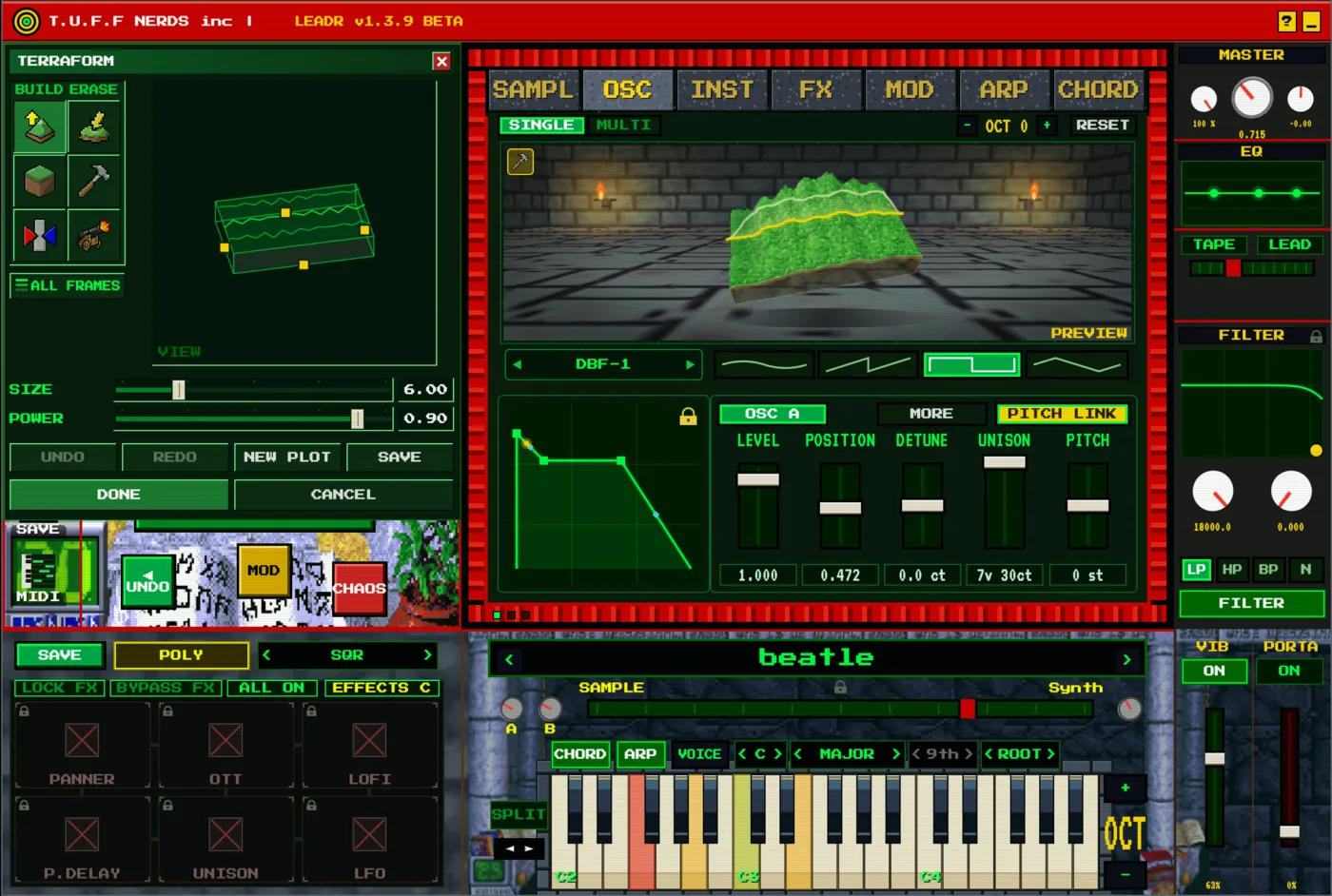
TERRAFORM. The toolbox on the left, the island in the OSC page. 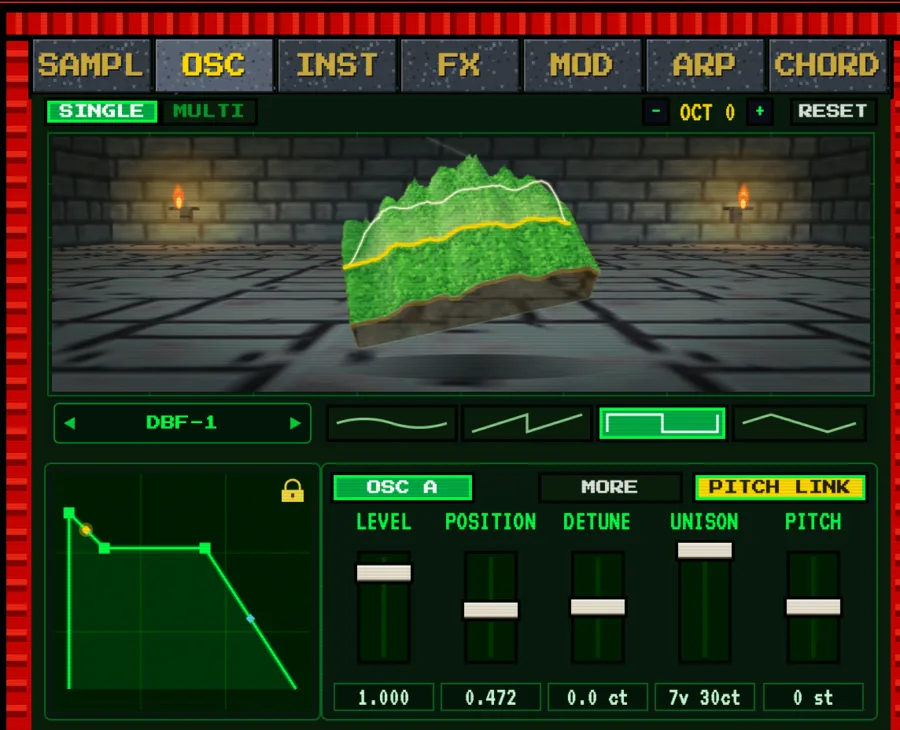
SINGLE view. A dungeon island. The yellow line shows the table you hear. 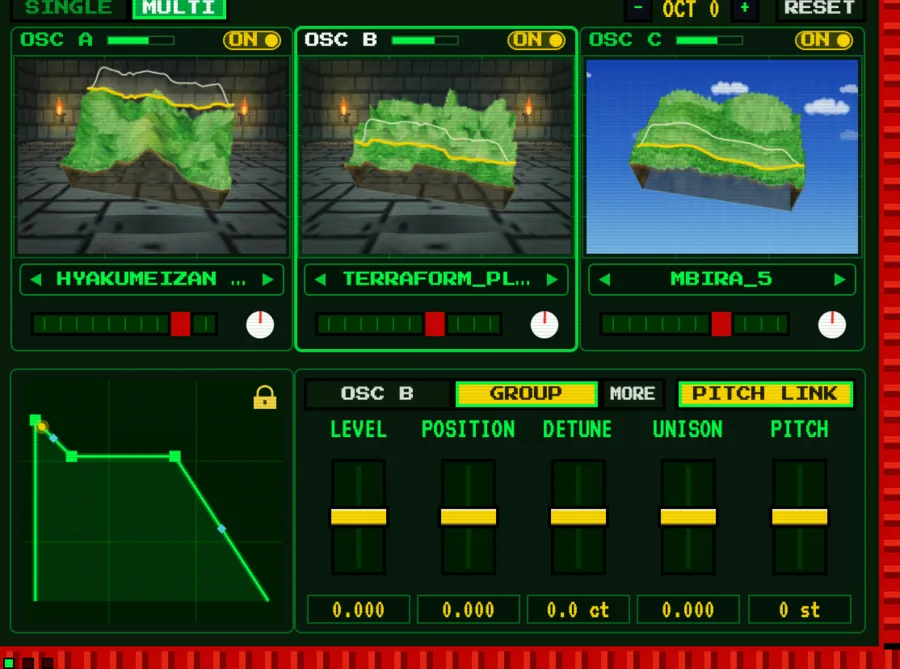
MULTI view. OSC A, B and C side by side. Each table picks dungeon or sky. 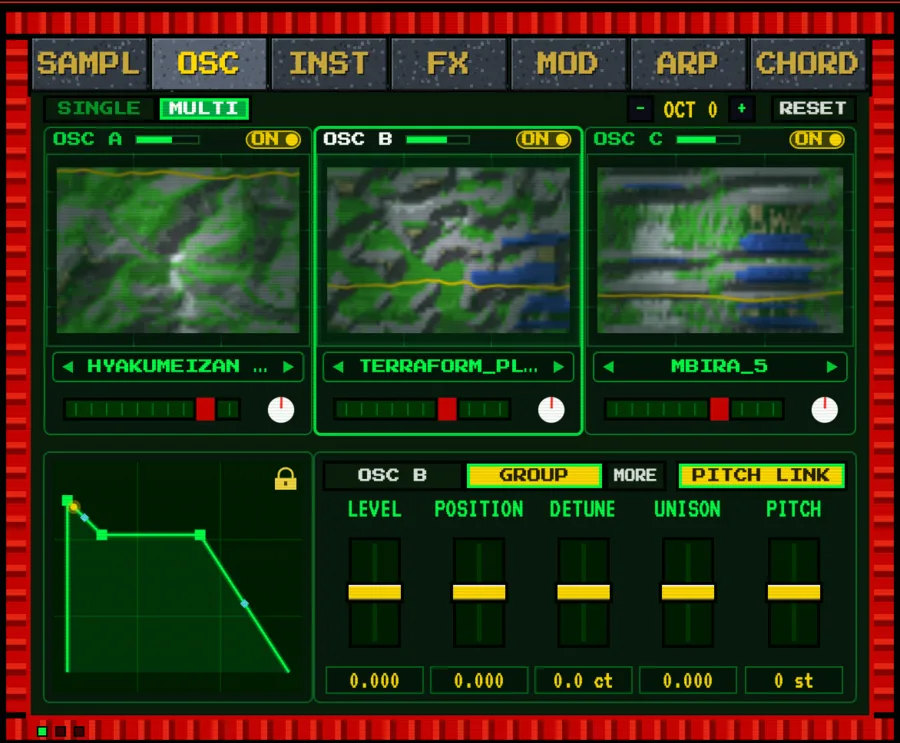
The map. Zoom out to see each table from above. 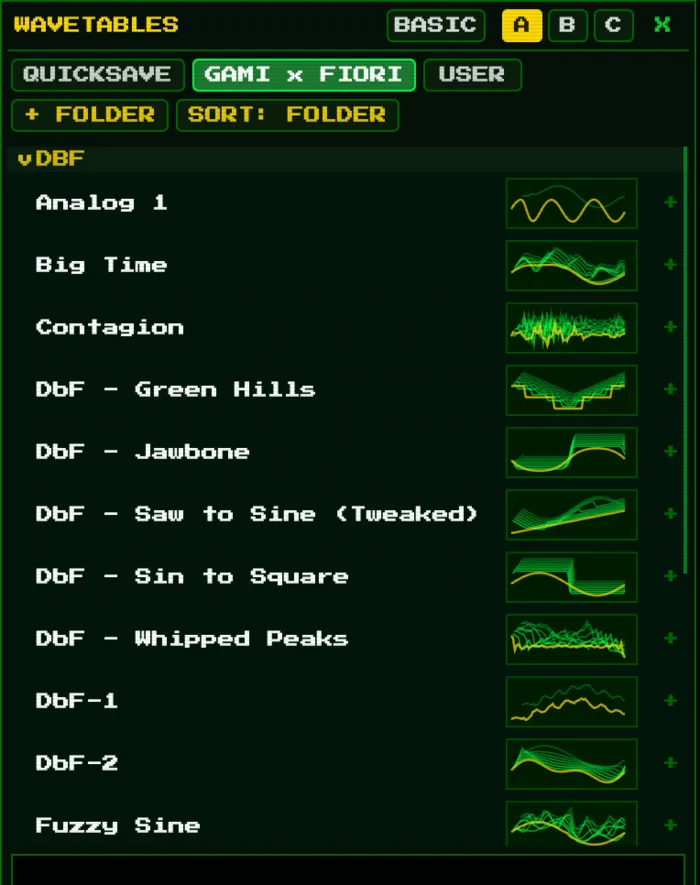
Wavetable browser. Folders, with a thumbnail for each table. The GAMI x FIORI bank lives here. Hover a table to preview it on the island. 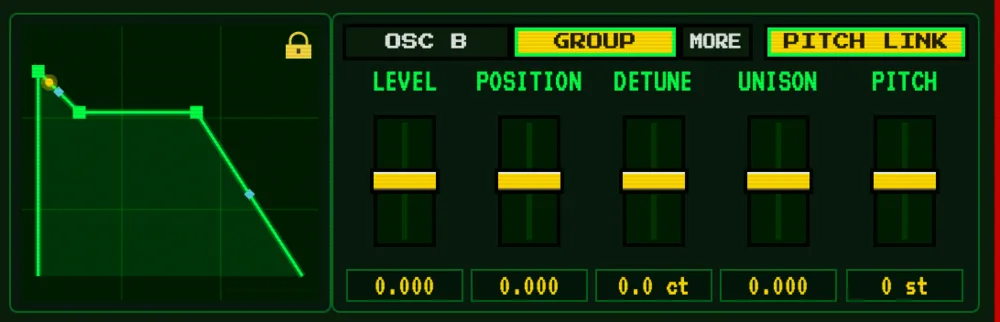
GROUP mode. LEVEL, POSITION, DETUNE, UNISON and PITCH for all three oscillators. 🛠 Fixed
- Arp ran slightly fast, and the speed changed with your buffer size.
- Stuck notes from chord lock, the sustain pedal and the arp.
- Arp could leave a note ringing forever (on default settings).
- Very loud signals could freeze the plugin.
- Dropping a sample or picking a preset could freeze the window.
- One-shot library sometimes did not load.
- Journal CLEAR deleted every crafted preset without asking.
- Crafts could overwrite each other.
- A cleared MOD curve came back after saving.
- A missing sample got dropped from your project instead of kept.
- Undo steps properly now (one knob drag = one undo).
- Panic and bypass in your DAW really stop everything now.
- Preset browser sorts and searches much faster.
- Effect presets forgot which delay and reverb engine they used.
- Failed loads no longer look like they worked.
- SMP END dragged before LOOP START could blast a loud tone.
- Sample A/B mute seemed broken while CHOP ran (CHOP has its own volume now).
- Texture arrows did nothing silently (now they say why).
- Editing a folder list in a text editor could switch the first folder off.
- Bad sound packs could write outside their own folder.
- Uninstalling an expansion could remove the wrong files.
-
v1.324 Jul 2026
Faster, cleaner and deeper. Big sampler and effects upgrades, new modulation, and two new expansions.
⚡ Faster and cleaner
- Opens 11.6 times faster. LEADR is ready almost the moment you load it.
- Pops and cracks exterminated. Clean playback with no clicks.
🎛 Sampler upgrades
- Zoom editor: right-click a sample to open a close-up editor.
- Crossfade trim: cleaner, smoother loops.
- Samples can now be looped, reversed and pitched on their own.
- Pitch knobs for the sampler and synth, so you can tune each source.
- Three new resample modes.
🎚 New and improved effects
- LOFI: Crush has grown into a full bit-reduction effect.
- Three new filter types.
- New reverb with fresh reverb types.
- New delay with fresh delay types.
- Trance gate added.
🎹 Modulation, chords and scales
- Mod button: modulate almost anything with a drawable mod shape.
- Voice leading for smoother chord changes.
- Harmonic minor scale added.
🗂 Presets and workflow
- Choose a default preset in the big preset manager.
- The Craft button is now MIDI CC assignable.
- Lyric Book added.
📦 New expansions
- BASS by my friend Mon: 22 new bass presets.
- Beauty & Pain by me: a brand new expansion.
-
v1.27 Jul 2026
The biggest LEADR update yet. New sound engines, a full preset library, expansions, and Logic support.
🎛 New sound sources
- Instruments: physically modelled guitar, strings, voice, choir and flute. A third source next to the sampler and oscillator.
- Instrument Stage: set those instruments up as a mini band in a room. Speakers set the width, the carpet sets the damping, lamps and a projector set the mood.
- Textures: layer ambient beds (rain, birds, room tone, chimes) under your sound.
🎹 Playing & performance
- Chord Lock: turn single notes into full chords. Scale, fixed and custom voicings, with strum. Sends the chord to your DAW as MIDI.
- New arpeggiator: the WATERFALL engine plus a drawable custom arp. Gate, swing, dynamics, grouping, 2-hand, latch, stab, and DICE for fresh patterns. Live visualiser, note flash and saveable arp presets.
- OSC octave key: shift just the oscillator up or down an octave.
🗂 New preset browser & library
- A full-window browser with three panes: presets, expansions and one-shots.
- Tags, ratings, search, and sortable, resizable columns.
- Anatomy card: see a preset's one-shots, oscillator and texture at a glance, with waveform previews.
- Manage: rename, move, delete and organise banks. Find Missing repoints broken sample paths.
- Smart Library: unused one-shots go dormant. Click any one-shot to preview it.
📦 Expansions
- Install and export expansion packs (.leadrbank) with cover art.
- Organica: the first free expansion, now bundled in.
🎚 Effects & shaping
- Interactive ADSR: drag and bend the envelope.
- Master EQ, auto-wah, band-split FX (send delay, reverb or distortion to low or high bands), ping-pong loop, tempo-synced delay, per-source FX and filter routing, and an FX Mix macro.
- The Forge: make a new preset by blending two. Plus History, and Craft Link to sync settings between instances.
- Oscilloscope and spectrum, macro joystick, velocity layering and drag-out MIDI.
👤 The USER folder
- Studio Time (session stats, streaks, goals), Lyric Book, Producer Guide and The Vault.
- Built-in update check and one-click bug report.
💻 Platform
- Now ships as VST3 and AU, so LEADR runs in Logic Pro and GarageBand.
- Universal binary (Apple Silicon and Intel), macOS 10.15+.
- Windows (VST3).
- Signed and notarised installer.
🛠 Fixes & polish
- Fixed a rare click on fast note retriggers.
- Fixed an FL Studio hang or crash when saving or closing a project.
- Deleting a preset now asks first.
- Many stability, performance and UI fixes.
-
v1.0First release
- LEADR is live: a lead-focused sampler and synth with a three-mode chord lock, the WATERFALL arpeggiator, a full FX rack, 200+ presets and 500+ one-shots.
Tutorials
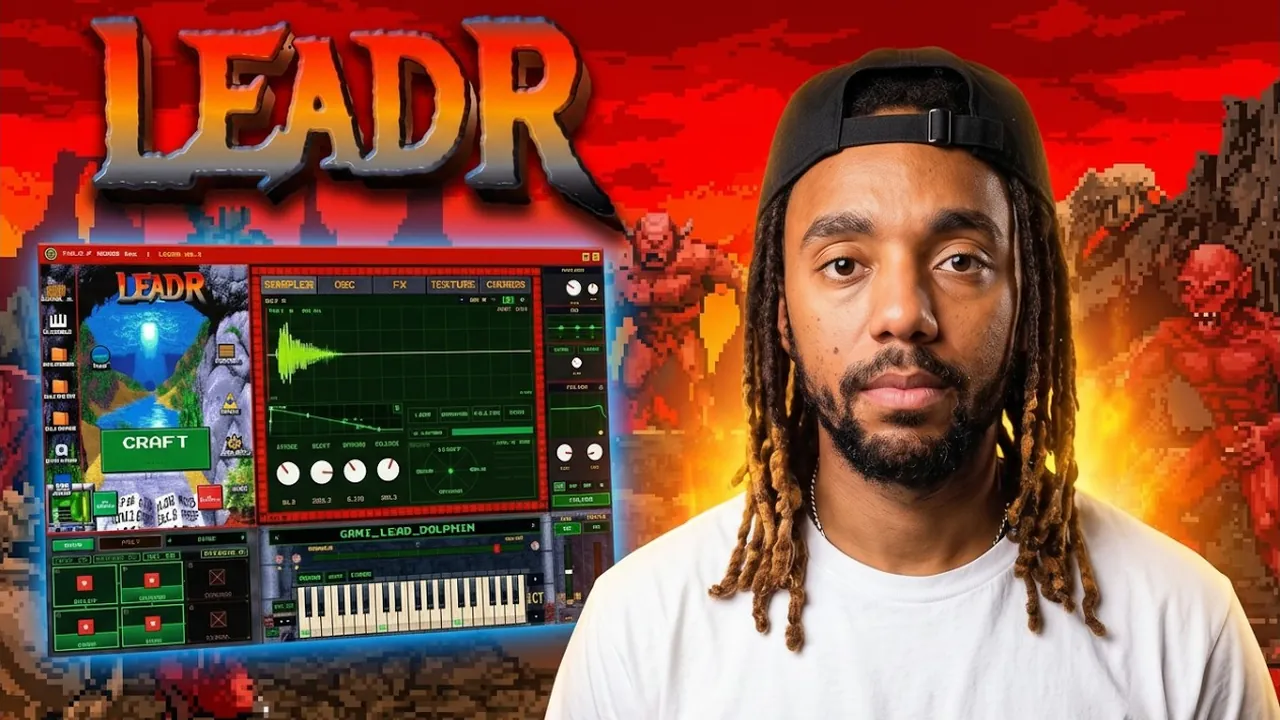
Pressing play loads the video from YouTube. See every tutorial in the playlist.